

If you want to switch from spreadsheets to crm, you do not need a month of downtime or a perfect export of every old row. Most safari teams are not short of enquiries. They are short of one place where the enquiry, the hold, the vehicle and the invoice agree. This is a one-week plan for owners, reservations managers and consultants at safari operators and DMCs in Africa. Move the live book. Leave the archive where it is.
Treat the week as ordinary reservations work done in a new place. Stop adding rows to the old file on Monday morning. By Friday you should be able to run the day from the CRM, with the spreadsheet renamed and closed, not deleted.
How a small team can switch from spreadsheets to crm
A week is enough when you refuse to migrate history. You are giving this season a single home: enquiries still open, quotes a client might still accept, holds with an expiry, vehicles already assigned, and invoices not yet paid.
Safari Studio is a CRM for safari operators, DMCs and the travel agents who sell their trips. It is a monthly, quarterly or yearly subscription, with a free trial and no card needed to start. Use the trial on real trips. A tidy sample always looks calm. The board should look like the week you are in.
Agree three rules before anyone creates a deal.
One person owns the move, usually the reservations manager. The owner sets the stages and reads the board on Friday. The consultant brings the trips they are chasing and does not keep a private copy on the side. If everyone imports the same sheet, the rest of the week goes on duplicate deals.
Move what is still alive. Past seasons can stay in the file. You may need an old voucher or a lodge address later, and search still works there. Those rows do not belong on the board.
Stop feeding the old file. From Monday a new enquiry is a new deal. If the sheet keeps growing, neither place is the record.
Sunday evening: stages, currencies and inboxes
Open the pipeline sheet and list the columns people actually fill in. Ignore anything blank for a season. Turn the working columns into stages you would say out loud.
On the deals board you drag deals through your own stages. The names should be yours. If the office says pencil and firm, use pencil and firm. If it says quoted, held and deposited, use those. A list borrowed from a general sales manual will feel foreign by midweek, and a foreign list is an invitation back to the sheet.
You can start from a shape like this, then rename every line:
- Incoming, not yet qualified
- Costing in progress
- Quote with the client
- Holds in place
- Deposit due
- Booked
- Travelled, or lost
Note every currency you quote or invoice in. For example, a lodge operator in the Okavango may cost in pula and still need a dollar figure for the traveller. Any currency is allowed, with its value at the day's rate. That retires the side column of equivalents updated only when someone remembers.
List the mailboxes that receive client mail. Gmail syncs both ways. Any other provider can come in through a forwarding address. Include the shared reservations address and any personal mailbox clients still use. The address you skip will hold the next quiet enquiry.
List the lodges, vehicles and activities on quotes that are still open. Not the whole contracting file. Enter rates as you rebuild those costings.
Monday: the live deals only
Create one deal per trip, not per email. For each trip that still needs a person, record the client, the agent if an agent is selling it, the travel dates, the value in the currency you quoted, and today's stage. The card shows that value in its own currency with the USD equivalent, and the days spent in the stage. Days in stage replaces a last-touched column that stayed honest only when everyone updated it.
Add the next action as a task with a date. Chase the camp. Send the revised quote. Call the agent about a child rate. A deal with no next action goes quiet.
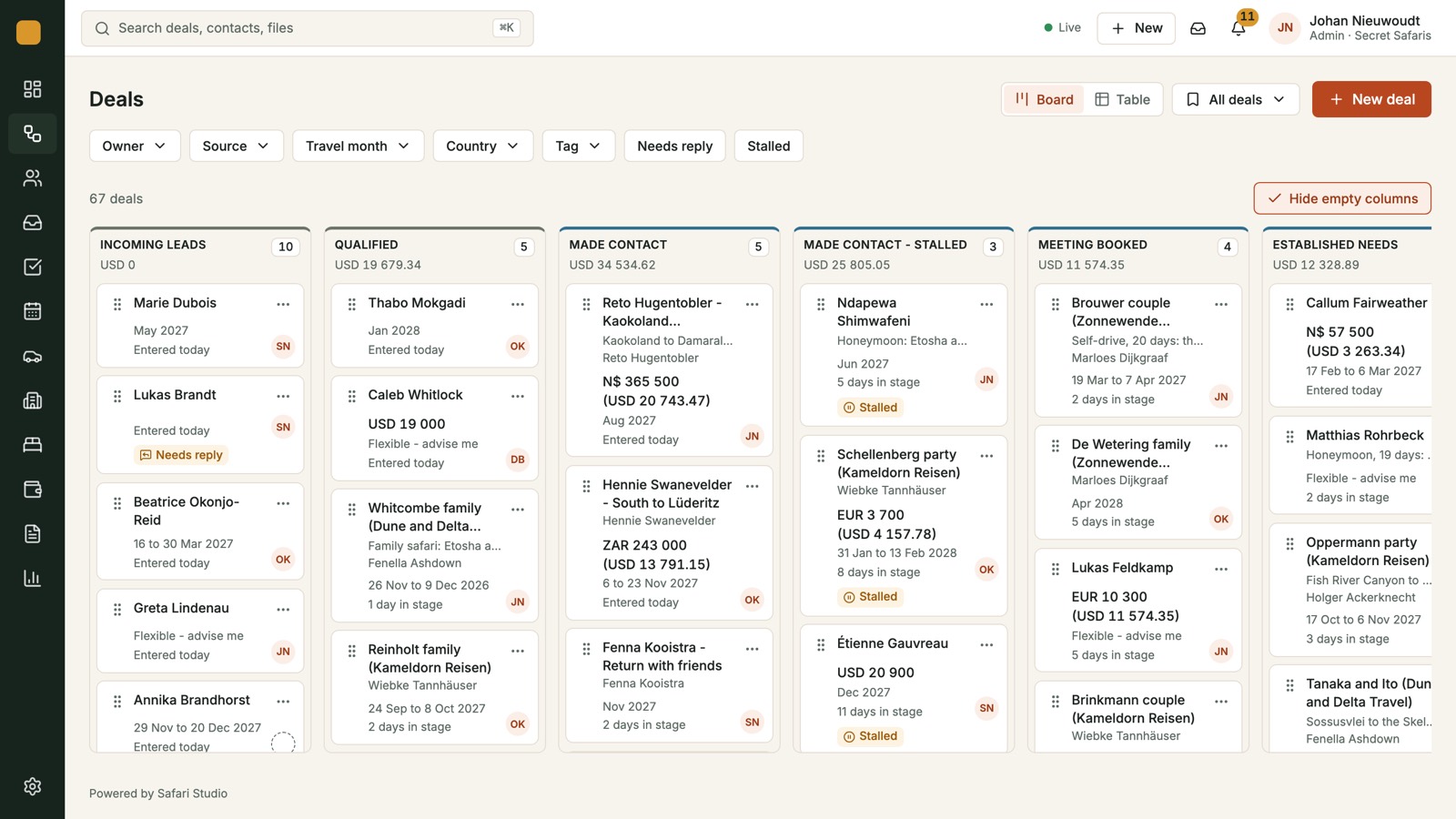
Do not type website enquiries by hand. The enquiry form feeds the board, so a new enquiry arrives as a new deal with the email thread linked, rather than waiting in a folder. If the site still mails a shared inbox, keep that address while you connect the form. Tell the team the board is the record.
Stalled deals and unanswered mail are flagged. You can drop the colour code. Colour only worked when the last person remembered it.
Bring across trips that still need a decision, and nothing older. For example, a reservations manager at a small mobile operator might move the open holds, the live quotes and the unpaid invoices, and leave departed safaris in the file for search. That is a boundary, not a success story.
Tuesday: mail beside the trip
Sync the Gmail mailboxes from Sunday's list. For any other provider, set the forwarding address. Mail from every synced mailbox sits in one list, and each thread links to its client and deal. Two-way Gmail sync keeps every reply beside the trip it belongs to.
Link the threads for Monday's deals. Do not file years of old mail. When a new message arrives, link it as you answer. After a few days the inbox is where you start, because the deal is one click away. Needs reply flags mean a client does not sit unseen in the wrong mailbox.
Write templates and signatures for every person and every mailbox. Four will do: acknowledgement, checking availability, hold chaser, deposit reminder. Assign the deal as you reply, so two people do not both answer. A double reply is what happens when ownership lives in people's heads.
Read the guide to the inbox, the deals board, holds, fleet and invoices while you set this up.
Wednesday: holds, vehicles and the calendar
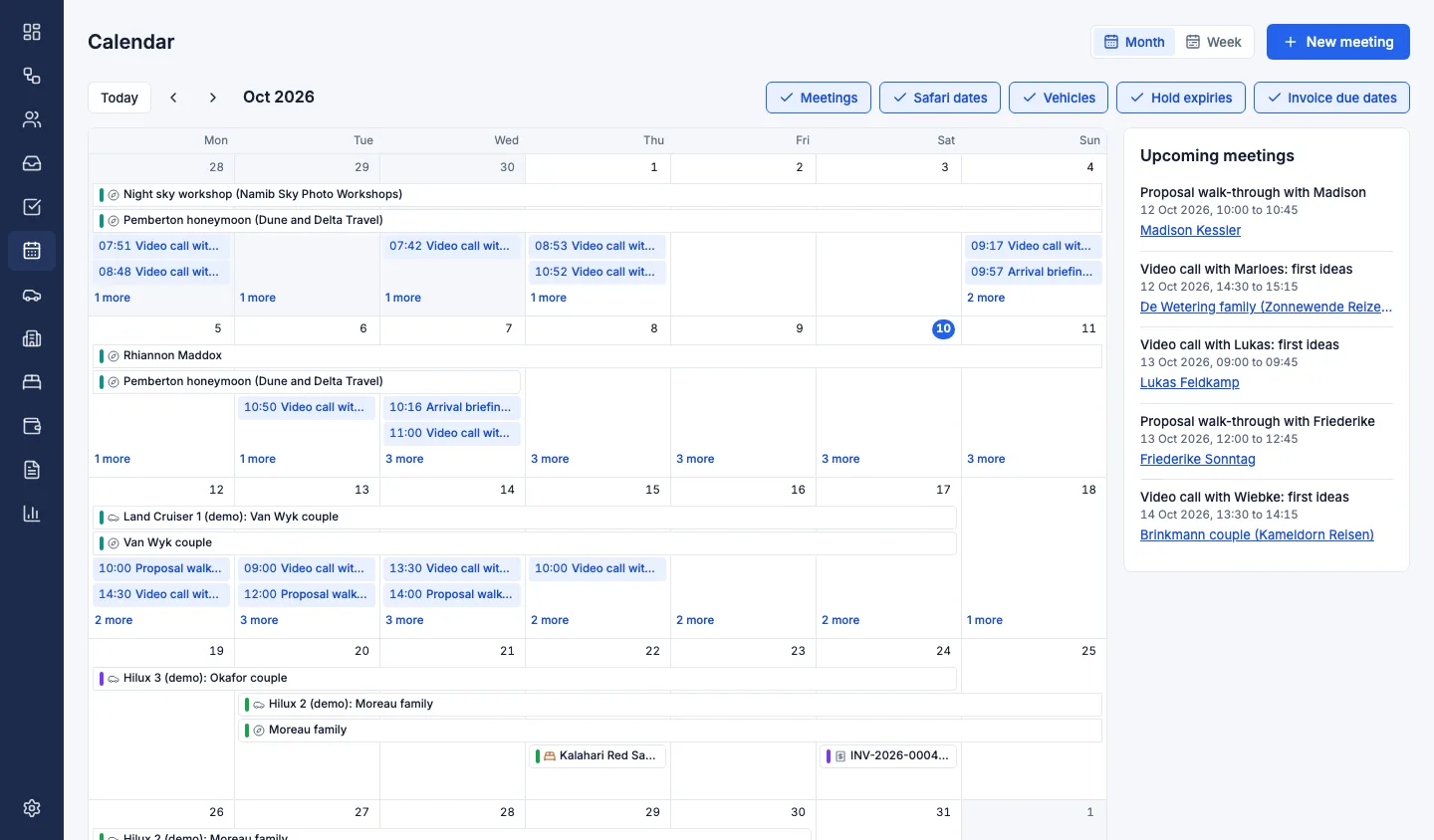
Dates fail when they live on different tabs. A hold expires, a vehicle is booked for a service, and an invoice falls due, sometimes in the same week. Nobody opens every tab on a busy morning.
Put each room you have asked for on the holds board. The columns are the ones you already think in: requested, held with an expiry, confirmed or released. Requests go to the lodge from the deal. Before a hold runs out, a chaser email is ready, so nothing lapses because a cell was missed. Copy the expiry from the lodge's mail. If the sheet disagrees with that mail, trust the mail.
Open the fleet timeline next. One row per vehicle, trips as bars across the dates, services and blocked days on the same line. Assign the vehicle and the clash shows before you promise the same 4x4 twice. Add the vehicles on live departures first. The rest can wait.
Then look at the month as one calendar: meetings, safari dates, vehicle bookings, hold expiries and invoice due dates.
Thursday: costing, invoices and what is owed
Rebuild costings a client might still accept, and any you must revise because a lodge has come back unavailable. Build them day by day with your lodges, vehicles and activities at the rates you negotiated. Each amount is stored with the exchange rate of the day, so the margin stays right when rates move. You can read totals per adult and in other currencies. A costing PDF is ready to send when the figures are.
From the costing, make the quote. Quotes become deposit and balance invoices in any currency, with a card payment button. Every payment is tracked against the deal, so owed and paid no longer need their own workbook. Late payments are grouped by how late they are. Enter the open invoices on Thursday: client, currency, due date, status and amount still owed. Check them against the bank before you close the debtors sheet. A familiar total can be wrong.
Friday: your brand, then a hard stop
Set branding before you send anything a client will see. Your logo, colours and theme go on every proposal, quote, invoice and the client form. There are four theme presets. On Pro and Max, clients never see Safari Studio on those pages. Lite adds a small Powered by Safari Studio line. The plans themselves sit on the pricing page. Read them there rather than relying on memory.
When a costing is solid, one click turns it into the client's own web page: a route map with drive times between every stop, lodge pages with their own photos, and a day-by-day story, in your brand. A PDF comes with it.
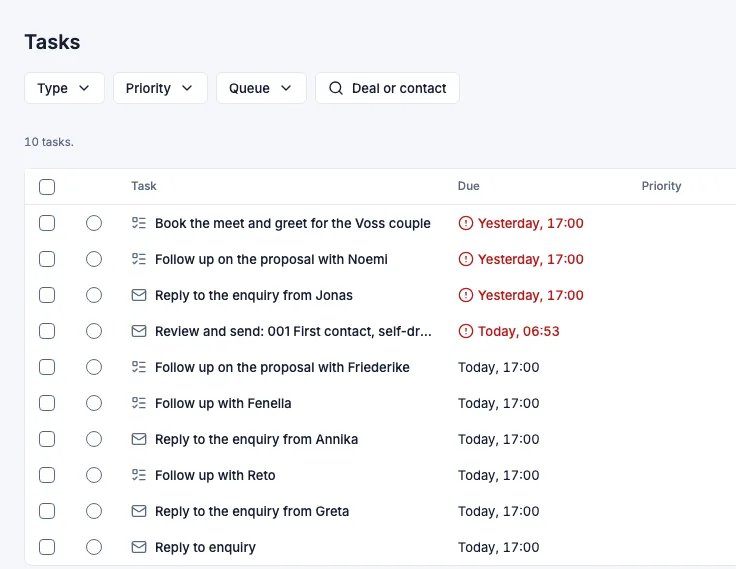
Friday afternoon is a short meeting, even if you join it from different towns. Open the board. For each live deal, say the next action and check it has a date and an owner. Then open My day. Today's follow-ups and replies should be listed, with the overdue ones in red. If something live is missing, add it before you stop. Friday is about trust, not a full archive of old rows.
Rename the spreadsheet with the date and the word closed. Do not delete it. Search can still find an old rate or an agent address. New rows are no longer welcome there.
What to carry, and what to leave on purpose
Completeness is how a one-week move fails. Leave these behind:
- Quotes declined more than a season ago
- Rate sheets you will retype when you next cost that lodge, because the rate is about to change
- Mailboxes that never receive client enquiries
- Colour coding only one person understands
- A notes column that repeats the email
Carry these, even if it takes another hour:
- The expiry on every open hold
- The vehicle on each departure in the coming months
- The deposit still outstanding, and its due date
- The agent on the deal, not only the traveller
- The stage, in words the team already uses
If you consult for an operator, or you sell their trips, do not keep a shadow sheet so you have a copy. The shadow sheet is how the reservations manager loses half the picture. Put the note on the deal. Owners choose the stages, refuse new rows in the old file, and on Friday decide if the board can run Monday.
After the first week
The days after the move are the risky ones. The old file is still on the desktop, and someone is in a hurry. Replace that reflex with three checks.
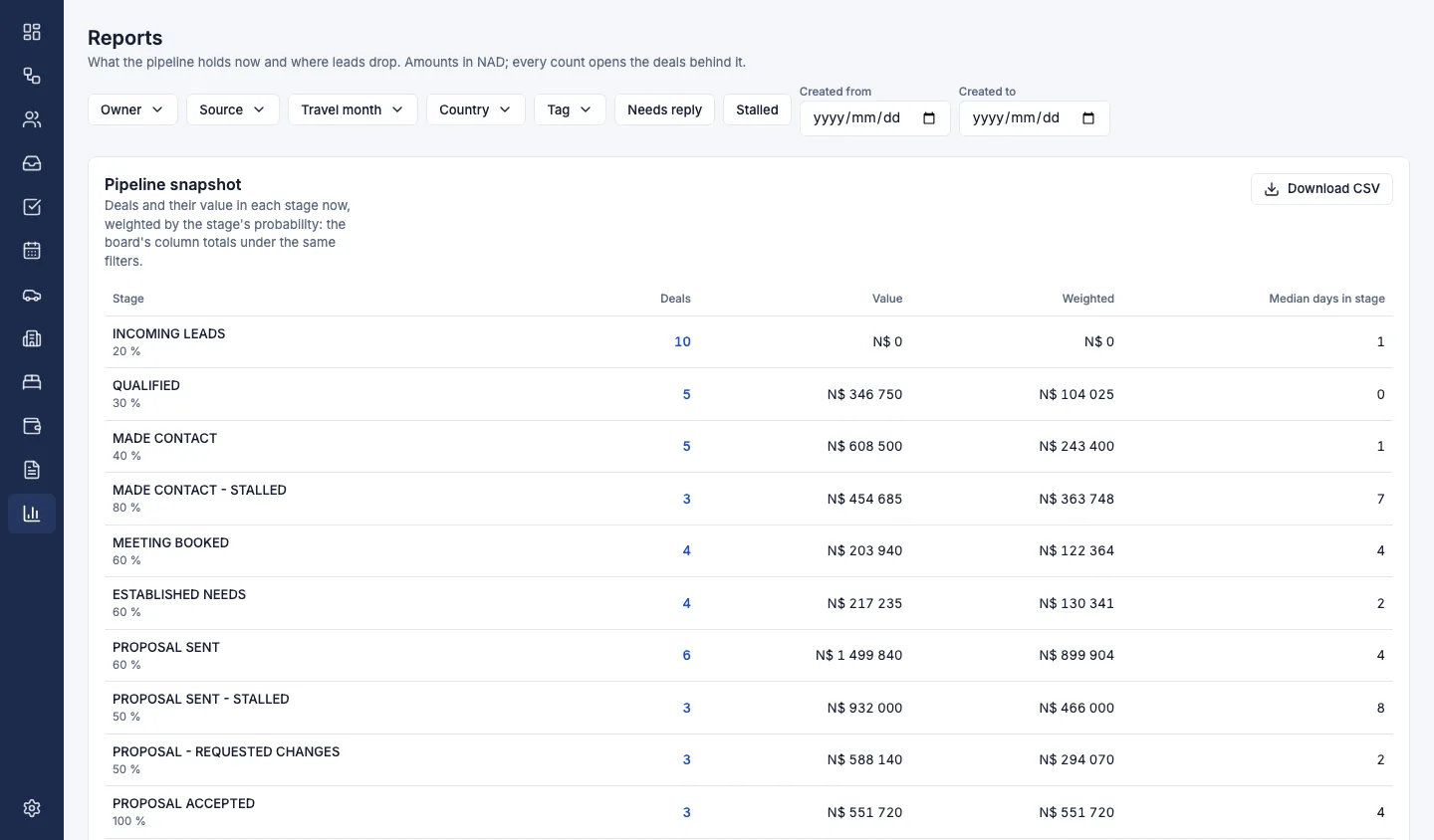
Start on the dashboard: today's tasks, overdue ones flagged, and the meetings of the coming week. Twice a week, open the pipeline snapshot: deals and their value per stage, weighted by each stage's probability. If quotes sit still, that is a reservations question. Leave the conversion funnel until deals have actually moved. It shows how many entered each stage, how many went on, and the median days in each.
Add one automation after the week, not ten on Monday. Rules can turn new emails into deals, flag replies, move stalled deals and create follow-up tasks. A sound first rule creates a task when a reply is overdue.
If you would like to walk a live enquiry through the board, book a demo. If you would rather try the week on your own trips, start a free trial. No card is needed.